Why this exists
Greens maintains strict security standards for sharing internal documents. This procedure ensures that when you share files from Greens Drive, only authorized team members with proper access permissions can view them. Using direct links instead of downloading and re-uploading files saves time, preserves version control, and maintains our data security protocols.
Who does what
- All Team Members — follow this procedure when sharing Greens Drive files with colleagues
- Corporate IT — maintains Greens Drive access permissions and provides technical support for file sharing issues
Steps
Important: When you share a link using this method, only Greens Drive users who already have access to that specific file or folder will be able to view the documents. This protects sensitive information while making collaboration easier.
To create and share a direct link to a Greens Drive file:
- Log in to Greens Drive using your company credentials.
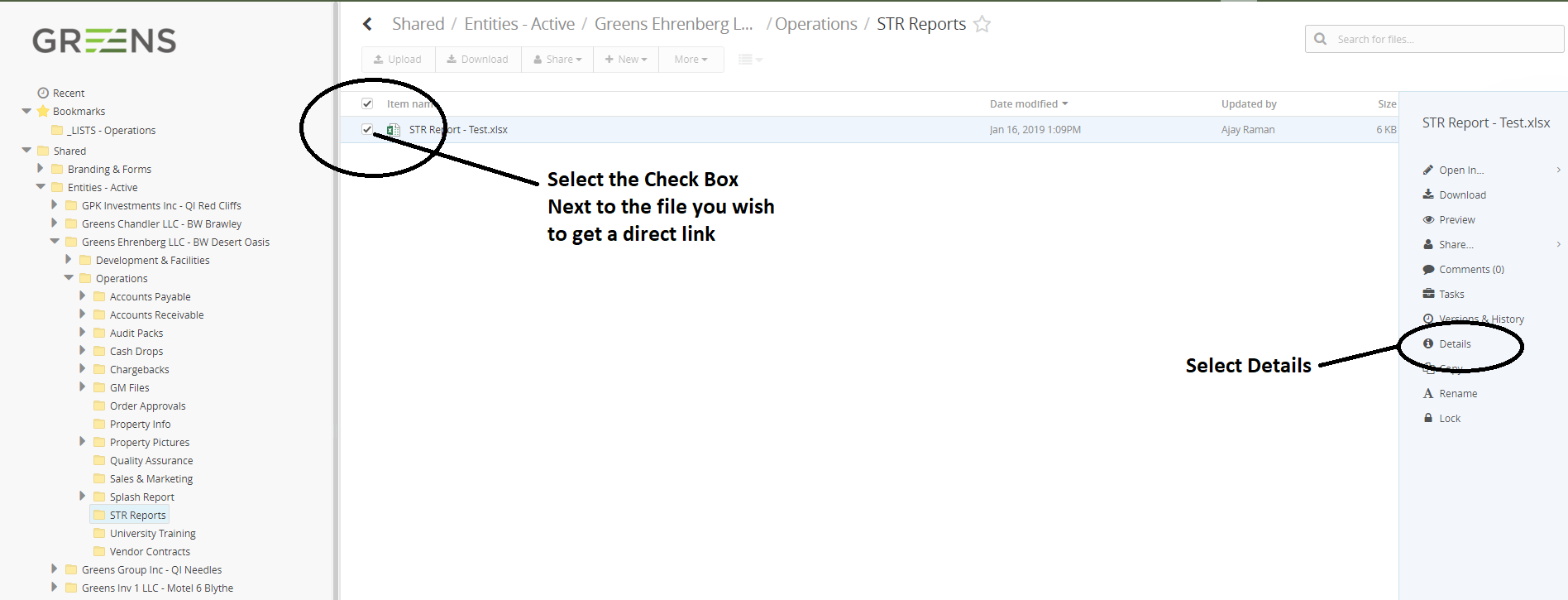
- Navigate to the file you want to share. Click the checkbox next to the file name, then click the "Details" button that appears in the toolbar.
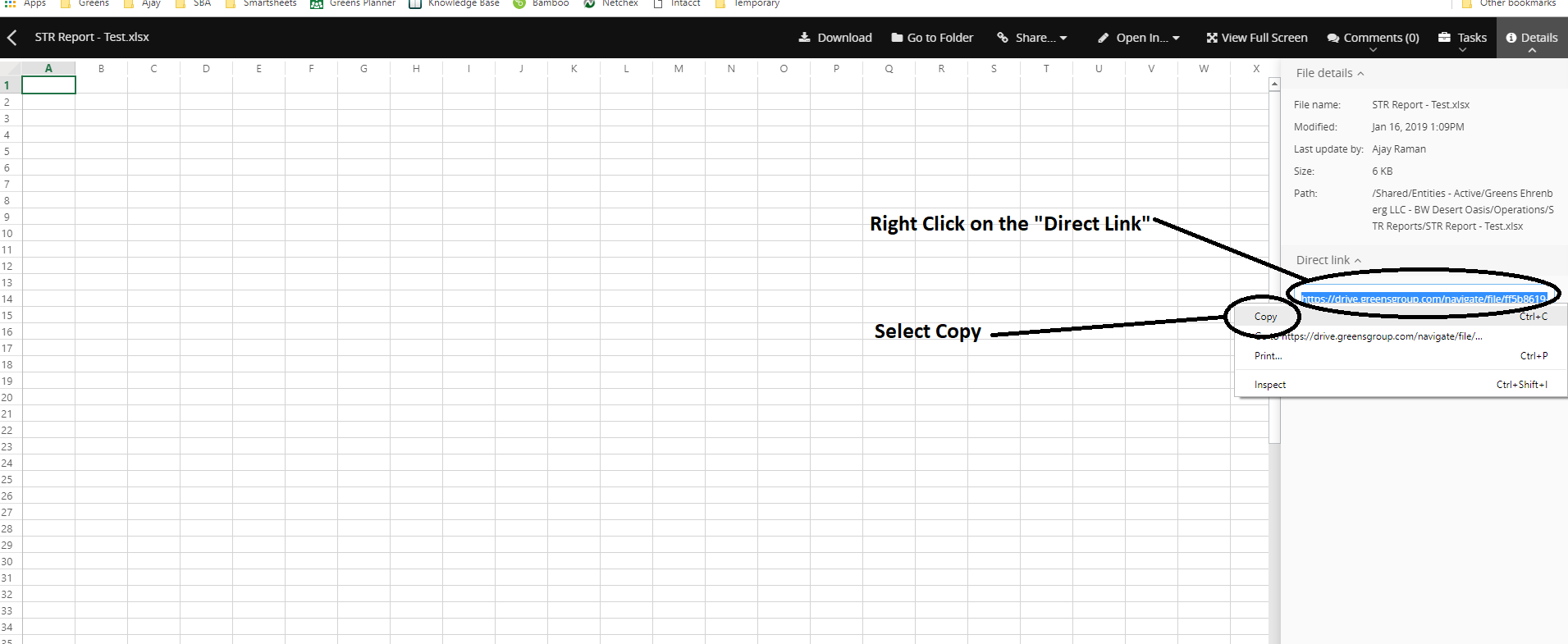
- In the Details panel, locate the "Direct Link" field. Click anywhere in this field to automatically select the entire URL. Right-click on the highlighted link and select "Copy" from the menu.
- Paste the copied link wherever you need to share it — in an email, chat message, or document. Recipients who have access to the file will be able to click the link and view it directly in Greens Drive without needing to search for it.
Rules and exceptions
- Never share Greens Drive links with external parties or personal email addresses — these links only work for authenticated Greens employees
- If a colleague reports they cannot access a shared link, verify they have been granted permission to that file or folder before troubleshooting further
- For files containing sensitive information (payroll, guest data, etc.), always verify the recipient's need for access before sharing
- Direct links remain active as long as the file exists in the system